
React Native RAM Bundles: Speed Up App Startup with Smarter JavaScript Loading
Learn how React Native RAM Bundles improve app startup performance by splitting large JavaScript bundles into smaller modules that load only when needed. This guide explains how RAM Bundles work, when to use them, how to enable them in Metro, and best practices for optimizing React Native performance in large applications.
ALLTYPESCRIPTJAVASCRIPTREACT NATIVEREACTMOBILE DEVELOPMENT
Mobile users expect apps to open instantly.
If your React Native app takes even a few extra seconds to load, users immediately feel the delay. The splash screen stays longer than expected. Navigation feels slightly sluggish. And even though your UI code may be simple, the startup experience still feels heavy.
The reason often lies in how React Native loads JavaScript.
By default, React Native bundles all JavaScript into one large file. When the app launches, the JavaScript engine must parse and execute this entire bundle before the app becomes interactive.
For small apps this isn't a problem.
But as your app grows — with more screens, components, libraries, and features — the JavaScript bundle becomes larger. This increases the time required to load and execute the code during startup.
This is where React Native RAM Bundles can help.
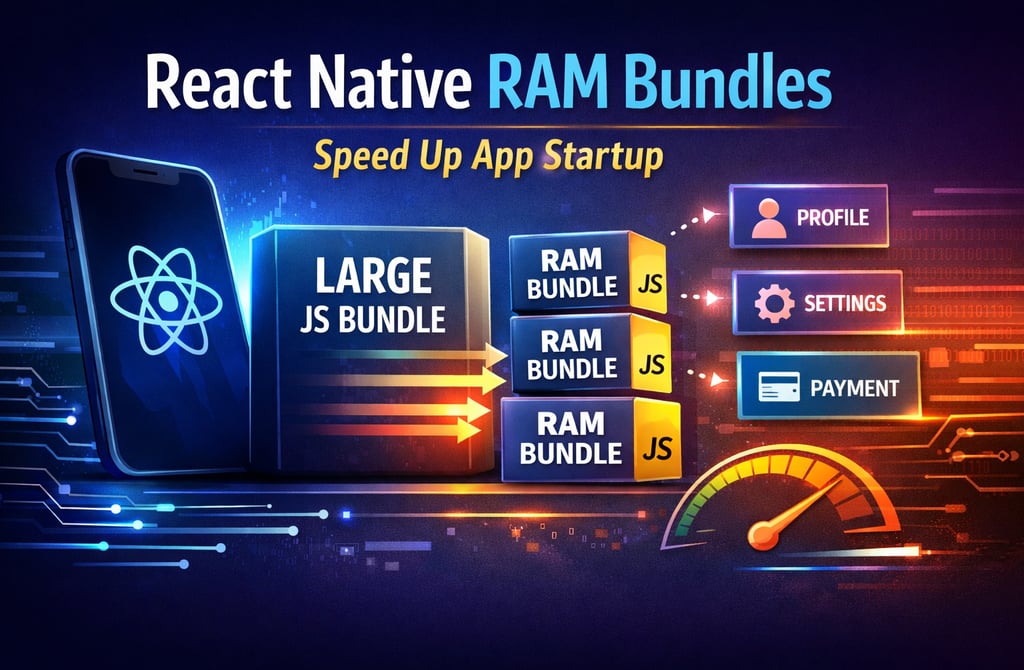
RAM Bundles allow React Native to split the JavaScript bundle into multiple modules and load them only when needed, significantly improving startup performance for large applications.
In this article, we'll explore:
What RAM Bundles are
How they work
When to use them
How to enable them in your React Native project
What Are React Native RAM Bundles?
A RAM Bundle (Random Access Module Bundle) is an alternative JavaScript bundle format used by React Native.
Instead of packaging the entire JavaScript codebase into one file, RAM Bundles split the bundle into multiple smaller modules.
These modules can then be loaded individually at runtime when they are required.
This approach provides two key benefits:
• Faster startup time
• Reduced initial JavaScript execution
Instead of loading everything upfront, React Native loads only the modules needed to render the initial screen.
Additional modules are loaded later when the user navigates through the app.
How the Default React Native Bundle Works
Before understanding RAM Bundles, it's important to understand how React Native normally loads JavaScript.
During build time, Metro Bundler compiles all JavaScript files into a single bundle.
Example:
index.bundle
This bundle contains:
App entry point
All components
Navigation logic
Utilities
Third-party libraries
When the app launches, the JavaScript engine must:
Load the bundle
Parse the entire file
Execute the code
Even if your app starts on a simple login screen, the code for every screen is already inside the bundle.
This can significantly slow down startup for large applications.
Diagram: Default React Native Bundle Loading
Key insight: Everything loads during startup — even modules that may never be used immediately.
How RAM Bundles Improve Startup Performance
RAM Bundles change the loading strategy.
Instead of a single large bundle, the code is split into separate modules.
The startup flow becomes:
Load a small index bundle
Execute the entry point
Load additional modules when required
For example:
Startup loads:
App entry file
Root component
Navigation setup
Initial screen
Other modules like:
Profile screen
Settings screen
Analytics module
Payment flow
are loaded only when the user navigates to them.
This reduces the amount of JavaScript processed during startup.
The result is faster app launch times.
Diagram: React Native RAM Bundle Architecture
Key insight: Only critical modules load during startup.
RAM Bundle Structure
A RAM bundle contains two main parts.
1. Startup Section
This contains the modules required immediately during app launch.
Examples:
App entry file
Core React Native modules
Initial screen components
2. Lazy Modules
These modules are stored separately and loaded dynamically.
Examples:
Screens not immediately visible
Large utility libraries
Feature-specific modules
This separation allows React Native to execute only what is necessary at startup.
Enabling RAM Bundles in React Native
React Native allows you to generate RAM bundles using the Metro bundler.
To build a RAM bundle, use the following command:
The important flag here is:
This tells Metro to generate the bundle using the RAM bundle format.
Indexed RAM Bundles vs File RAM Bundles
React Native supports two RAM bundle formats.
Indexed RAM Bundle
This is the most commonly used format.
All modules are stored inside one bundle file, but the bundle includes an index table that allows React Native to access modules quickly.
Benefits:
Faster module lookup
Single file deployment
Works well with Android builds
File RAM Bundle
In this format, each JavaScript module is stored as a separate file.
Example structure:
This approach enables true lazy loading, but it can increase filesystem overhead.
For most apps, Indexed RAM Bundles are preferred.
RAM Bundles vs Inline Requires
Developers often confuse RAM Bundles with Inline Requires.
Both optimize React Native performance, but they solve different problems.
RAM Bundles
• Splits JavaScript bundle into modules
• Reduces initial parsing cost
• Improves large app startup performance
Inline Requires
• Delays module loading inside code
• Avoids unnecessary imports during startup
• Works at the module execution level
Best results often come from combining both techniques.
Large React Native apps frequently enable:
RAM Bundles
Inline Requires
Hermes engine
This combination produces significant performance improvements.
When Should You Use RAM Bundles?
RAM Bundles are most useful in large applications.
For example:
Apps with 50+ screens
Apps with heavy dependencies
Enterprise React Native applications
Apps with large component libraries
If your JavaScript bundle size exceeds 5–10 MB, RAM Bundles can significantly reduce startup cost.
However, for very small apps the benefits may be minimal.
Performance Improvements in Real Apps
Let's consider a typical large React Native application.
Without RAM Bundles
Startup process:
Load 12 MB JavaScript bundle
Parse entire bundle
Execute initialization
Startup time:
4 – 6 seconds
With RAM Bundles
Startup process:
Load minimal startup modules
Lazy load additional code
Startup time:
2 – 3 seconds
This can reduce startup time by 40–50% depending on app complexity.
Best Practices When Using RAM Bundles
To maximize performance benefits, follow these best practices.
Combine with Hermes
The Hermes JavaScript engine significantly improves React Native startup performance.
RAM Bundles + Hermes is a powerful combination.
Use Inline Requires
Inline Requires ensures modules are only loaded when required.
Together with RAM Bundles, this reduces unnecessary execution.
Monitor Bundle Size
Large bundles can still affect runtime performance.
Use tools like:
Metro bundle visualizer
Flipper performance tools
React Native performance monitor
Avoid Over-Splitting
Too many small modules can increase module loading overhead.
Metro typically handles this automatically, but it's something to monitor in very large apps.
Common Pitfalls
While RAM Bundles are powerful, they are not always perfect.
Some challenges include:
Debugging Complexity
Since modules load dynamically, stack traces may look different.
Development Mode Differences
Performance improvements are more noticeable in production builds.
Development mode often behaves differently.
Limited Benefits for Small Apps
If your app has only a few screens, the difference may be negligible.
The Future of React Native Bundling
The React Native ecosystem is continuously evolving.
New bundling and performance features are emerging, such as:
Hermes bytecode optimizations
TurboModules
Fabric architecture
Advanced code splitting
RAM Bundles remain an important part of performance optimization, especially for large-scale mobile applications.
But modern React Native performance strategies often combine multiple optimizations rather than relying on just one technique.
Final Thoughts
Startup performance is one of the most important aspects of mobile user experience.
If users feel that your app is slow when opening, they may abandon it before even reaching your main features.
React Native RAM Bundles provide a smart solution by splitting your JavaScript bundle and loading modules only when they are needed.
For large applications, this can significantly reduce startup cost and improve responsiveness.